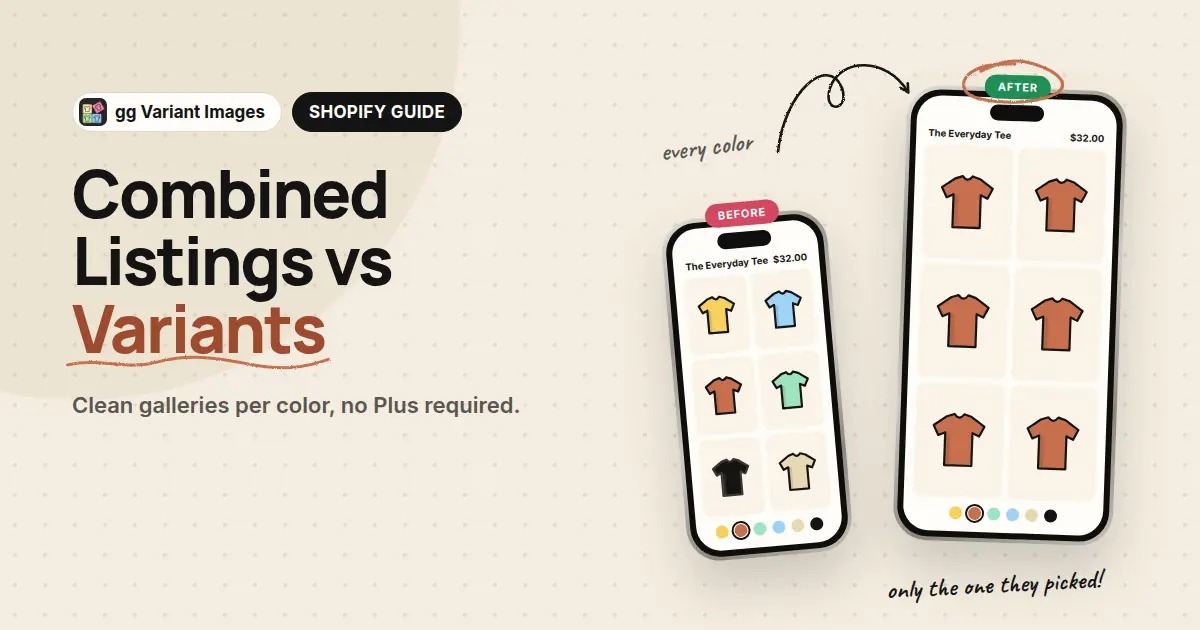
Shopify Combined Listings sounds like the official answer when your product page dumps every color’s photos into one messy gallery. Then you click install and hit the wall: Shopify’s native app is restricted to Shopify Plus, cannot be sold on Shopify POS or subscriptions, and turns every color into its own separate product to manage. This guide compares Shopify Combined Listings against standard Shopify variants so you can get separate photo galleries per color without paying for Plus or splitting your catalog unnecessarily.
Quick answer: Shopify Combined Listings is built for Shopify Plus stores that want separate URLs, titles and descriptions per color, and it works on the Online Store channel only. If you are on Basic, Grow or Advanced (or simply want each color to show only its own photos on one product page), keep your colors as standard variants and use gg Variant Images to filter galleries cleanly on any Shopify plan, with a Free plan for 1 product.
Most merchants discover Shopify Combined Listings while trying to solve one of two different problems: either they genuinely want each colorway to rank as its own standalone product page with its own description and URL, or they just want shoppers who click “Green” to stop seeing twenty photos of Red, Black and Navy. Picking the wrong architecture creates months of catalog busywork.
What Shopify Combined Listings actually does (and its hard limits)
According to Shopify’s Combined Listings documentation, the feature links multiple standalone child products under one parent product so shoppers can switch between them from a single product page. Each child product keeps its own URL handle, title, description, media gallery, inventory and sales reporting.
Before building your store around Shopify Combined Listings, check the documented limits:
- Shopify Plus only. Stores on Shopify Basic, Grow or Advanced cannot install Shopify’s native Combined Listings app.
- Online Store channel only. Combined listings cannot be sold through Shopify Point of Sale (POS), subscriptions, or third-party sales channels.
- Structural caps. A parent product can hold up to 3 parent options (up to 6 total options when combined with child options), a maximum of 60 child products, and up to 2,000 variants across all child products.
- Parent products are not purchasable. Inventory, checkout lines and sales data all live on the individual child products rather than the parent.
- Theme updates required. Older or custom themes need theme code updates to render combined listings properly, and you now have to create, tag, price and maintain separate products for every color.
For a large enterprise brand with completely distinct descriptions or SEO landing pages per colorway, those trade-offs make sense. For an apparel, footwear or home-goods brand where every color shares the same description, price and reviews, splitting one product into six separate listings creates unnecessary maintenance.
Shopify Combined Listings vs standard variants: side-by-side
Comparing Shopify Combined Listings against standard Shopify variants, theme-linked products and filtered variant galleries makes the real trade-offs clear:
| Feature | Shopify Combined Listings | Standard variants (native Shopify) | Theme-linked separate products | Standard variants + gg Variant Images |
|---|---|---|---|---|
| Required Shopify plan | Shopify Plus only | Any Shopify plan | Any plan (select themes) | Any Shopify plan (Basic to Plus) |
| Separate gallery per color | Yes (1 product per color) | No (shows every color’s photos) | Yes (1 product per color) | Yes (filters photos, video & 3D per variant) |
| Unique URL & description per color | Yes | No (shared product page) | Yes | No (keeps reviews & SEO on 1 URL) |
| Works with POS & subscriptions | No (Online Store only) | Yes | Yes | Yes |
| Catalog maintenance | High (duplicate products per color) | Low (1 product) | High (duplicate products + metafields) | Low (1 product + one-click AI auto-assign) |
| Theme code changes | Compatible theme required | None | Metafields + theme config | Zero theme file edits |
If you are still setting up Shopify’s baseline one-image-per-variant feature, start with our hub guide on how to add variant images on Shopify. To see why Shopify displays all uploaded photos together on standard variants, read Shopify variant-specific product images.
When to split products vs keep one product with filtered galleries
Ask yourself one question before deciding between Shopify Combined Listings (or separate linked products) and standard variants: do your colors actually need separate product pages?
Split into separate products when:
- Each colorway has a materially different description, fabric composition, care guide or title that shoppers search for individually (for example, distinct sneaker editions or furniture models).
- You want every color to occupy its own card in collection grids and search results. (Some premium themes support this via metafields without Shopify Plus, as we covered in our Prestige variant images guide, and swatch/grouping apps like GLO also link separate products, covered in our variant image apps comparison.)
Keep colors as variants on one product when:
- Every color shares the same product copy, sizing, reviews and shipping details.
- You sell across Shopify POS, subscriptions, Google Shopping or social channels that Shopify Combined Listings does not support.
- You want clean collection grids without repeating the same shirt six times in a row, while still giving shoppers a dedicated photo gallery for each color on the product page.
Get separate galleries per color on any Shopify plan with gg Variant Images
If your real goal is a clean, dedicated gallery for every color without upgrading to Shopify Plus or duplicating your catalog, gg Variant Images gives you per-variant galleries directly on standard Shopify products.
- Works on every Shopify plan and sales channel: keep one product with standard Shopify variants so POS, subscriptions, reviews and third-party channels keep working normally.
- Shows only the selected variant’s media: filters product photos, videos and 3D models to match the shopper’s selected color or option, with zero theme code edits and full alt text preserved for SEO and screen readers.
- One-click AI auto-assign and bulk assign: map photos across multi-color catalogs in seconds, or drag and drop to set the exact gallery order for every variant.
- Shared images stay visible everywhere: leave size charts, care guides or brand lifestyle shots unassigned so they show on every color without duplicating files.
- Optional color and image swatches included: keep your theme’s existing picker or enable customizable square or round color, image and text swatches that hide or cross out sold-out sizes.
Four-step setup on any Shopify plan
- Install gg Variant Images from the Shopify App Store. The Free plan covers 1 product so you can test the gallery experience live on your own theme first.
- Open Configure inside the app, select a multi-color product, and run one-click AI auto-assign or drag photos onto each color. Leave universal size charts and lifestyle photos unassigned.
- In your Shopify theme editor, open App embeds, switch gg Variant Images on and click Save.
- Open the product page on desktop and mobile and switch colors to confirm only that color’s gallery appears.
If your store runs a custom theme and something looks off after setup, send us the URL and our support makes the app work for your theme as soon as possible.
Frequently asked questions
Can I use Shopify Combined Listings without Shopify Plus?
No. Shopify’s official Combined Listings app is restricted to Shopify Plus stores. Merchants on Basic, Grow or Advanced plans who want separate photo galleries per color either keep colors as variants and filter the gallery with gg Variant Images, or link separate products using a theme metafield setup or a product-grouping app.
Does Shopify Combined Listings work with Shopify POS or subscriptions?
No. According to Shopify’s developer documentation, Shopify Combined Listings is currently limited to the Online Store sales channel and cannot be sold through Shopify POS, subscriptions, or third-party sales channels. Keeping colors as standard Shopify variants with gg Variant Images avoids those channel restrictions.
Is Shopify Combined Listings better for SEO than standard variants?
It depends on how shoppers search for your products. Shopify Combined Listings gives each child product its own URL handle, title and description, which helps when each variation targets distinct keywords. When colors share the same search intent, keeping all variants on one product page consolidates reviews, backlinks and authority onto a single URL while gg Variant Images keeps each color’s gallery clean for shoppers.