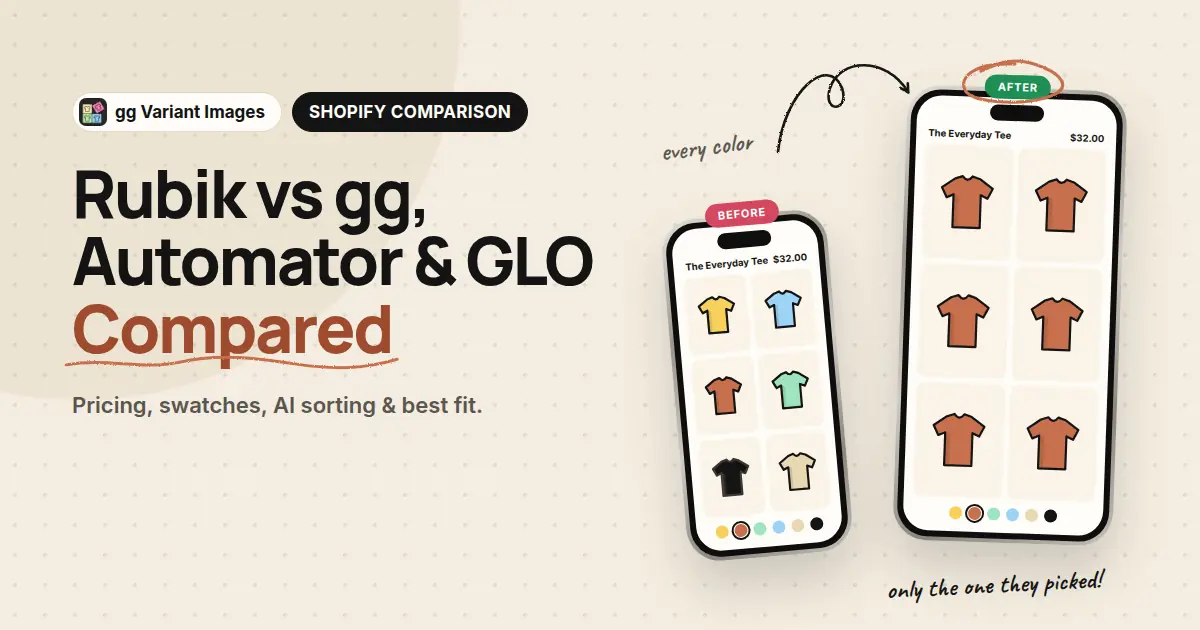
Rubik Variant Images is one of four popular Shopify apps merchants frequently compare when a product page shows every color’s photos at once, alongside SA Variant Image Automator, GLO Color Swatch Variant Image and gg Variant Images. All four carry the Built for Shopify badge and appear under similar App Store searches, yet each takes a different workflow and pricing model once your catalog grows. This guide compares all four strictly from their public Shopify App Store listings as checked on November 23, 2026 so you can choose the right fit for your store.
Quick answer: If you want multi-image gallery filtering, one-click auto-assign and built-in color or image swatches across unlimited products for one flat monthly price, gg Variant Images is $15/month unlimited (with a Free plan for 1 product). Consider Rubik Variant Images for tiered product-count plans with monthly AI quotas, SA Variant Image Automator for Shopify-admin image-order grouping, or GLO if your main goal is collection-page swatches and product bundles.
Why do Shopify stores look for an app here at all? In Shopify’s product media model, each variant links to one featured image, while every other uploaded photo stays in one shared gallery. Our Shopify variant-specific product images guide walks through how themes render that gallery and why shoppers often end up swiping into the wrong color.
Side-by-side comparison (November 2026 pricing and features)
All pricing, ratings, review counts and feature highlights below are taken from each app’s public Shopify App Store listing on November 23, 2026.
| App | Free plan (per listing) | Paid pricing (USD, Nov 2026) | Listed gallery focus | Swatches (per listing) | Assignment workflow | Best fit |
|---|---|---|---|---|---|---|
| gg Variant Images | 1 product (live store) | $15/mo flat (unlimited products, 3-day trial) | Multi-image, video & 3D filtering + shared shots | Built in (color, image, text, sold-out) | One-click auto-assign, bulk assign & drag-and-drop | Catalogs wanting unlimited products at one flat price |
| Rubik Variant Images & Swatch | 1 product (50 AI images/mo) | $25/mo (100 products), $50/mo (1,000), $75/mo (unlimited); annual saves 33% | Multi-image, video & 3D filtering + common images | Built in (variant image & color swatches) | AI auto-assign (monthly quota) + manual | Stores preferring product-count tiers & AI/MCP tooling |
| SA Variant Image Automator | Partner, Staff & Merchant Trial stores | $5 (Pause), $14.90 (Basic), $29.90 (Grow), $49.90 (Adv), $99.90 (Plus) | Multi-image grouping keeping native zoom, 3D & video | Integrates with Swatch King | Automatic grouping by Shopify admin photo order | Stores keeping photos ordered in Shopify admin |
| GLO Color Swatch Variant Image | Unlimited products (color swatches, 1 group, 1 bundle) | $9.90/mo (Silver), $19.90/mo (Gold); annual saves 17% | Variant image preview & linked product groups | Built in (product, collection, home & search) | Manual swatch, product-group & bundle setup | Stores prioritizing collection swatches, product groups & bundles |
Note: All app names and trademarks belong to their respective owners. Pricing, ratings, review counts and feature lists reflect each app’s public Shopify App Store listing as of November 23, 2026 and are subject to change.
Rubik Variant Images & Swatch: feature-rich with product-count tiers
Rubik Variant Images & Swatch by Craftshift holds a 5.0 rating across 506 reviews on the Shopify App Store. Its public listing highlights multi-image gallery filtering per variant, variant image and color swatches, shared common images without duplication, video and 3D model support, and AI or MCP auto-assignment.
Rubik Variant Images prices by total configured products and monthly AI image quotas (all paid tiers include a 7-day free trial):
- Free plan: 1 product total and up to 50 AI-assigned images per month.
- Starter ($25/month or $200/year): up to 100 products and 1,000 AI images per month.
- Advanced ($50/month or $400/year): up to 1,000 products and 5,000 AI images per month.
- Premium ($75/month or $600/year): unlimited products and 50,000 AI images per month.
For a small catalog under 100 products on annual billing, the Starter plan is straightforward. As an apparel or multi-SKU catalog expands past 100 or 1,000 products, moving up to the $50/month or $75/month tier increases monthly app spend accordingly.
SA Variant Image Automator: admin-order grouping with Shopify-plan pricing
SA Variant Image Automator by StarApps (4.9 stars across 783 reviews) is a widely used variant image automator Shopify app that centers on a no-tagging workflow. According to its listing, you organize your product images in order by variant inside Shopify’s product admin, and the app automatically groups each variant’s gallery while preserving native zoom, video and 3D views.
Three pricing and scope details from its Shopify App Store listing are worth noting before you install:
- Free plan scope: its Free tier is listed for Shopify Partner Stores, Shopify Staff Stores and Merchant Trial Stores, while live paid plans include a 30-day free trial.
- Shopify-plan pricing: pricing scales with your Shopify store tier rather than product count ($5/month on Pause & Build, $14.90/month on Basic, $29.90/month on Grow & Custom, $49.90/month on Advanced, and $99.90/month on Shopify Plus).
- Swatches: its listing focuses on gallery image grouping and lists Swatch King as a separate integration for color swatches.
GLO Color Swatch Variant Image: swatches, product groups and bundles
GLO Color Swatch Variant Image by Globo (4.9 stars across 1,930 reviews) often shows up alongside Rubik Variant Images in Shopify searches because of its name, though its public listing centers on a different primary feature set: swatches across product, collection, home and search pages, linked product groups, and built-in product bundles.
- FREE plan: unlimited products with color swatches, collection-page variant display, multi-language support, hiding out-of-stock options, 1 product group and 1 product bundle combo.
- Silver ($9.90/month or $99/year): adds image swatches, variant image preview and 6+ option display styles (7-day free trial).
- Gold ($19.90/month or $199/year): adds unlimited product groups and unlimited bundle combos (7-day free trial).
If your catalog splits each color into separate products linked together by collection-page swatches (similar to linked product setups on luxury themes like Prestige, covered in our Prestige variant images guide), GLO’s listing is built directly around that workflow and upsell bundles. If you keep every color as variants inside a single product and want dedicated multi-photo gallery filtering per variant, a dedicated variant gallery app fits better.
Why growing Shopify stores pick gg Variant Images
We built gg Variant Images (4.9 stars across 42 reviews) around one goal: keeping multi-variant product galleries clean while keeping pricing flat and predictable as a store scales.
- Flat $15/month Unlimited plan: configure unlimited products on Shopify Basic, Grow, Advanced or Plus for one flat monthly price (with a 3-day free trial), plus a Free plan covering 1 live product so you can test it on your real storefront first.
- Dedicated theme and page-builder gallery filtering: filters photos, videos and 3D models cleanly across popular themes and builders (including Horizon, Dawn, Prestige, Impact and Foxify product pages) with zero theme-file edits, keeping your image alt text free for SEO and accessibility.
- Fast assignment for large catalogs: use one-click auto-assign and bulk-assign to map photos across multi-color products, or drag and drop to set the exact gallery order per variant.
- Shared images stay visible: leave size charts, care guides or lifestyle shots unassigned so they show on every variant without duplicating files.
- Optional color and image swatches included: keep your theme’s existing picker or enable customizable square or round color, image and text swatches that hide or cross out sold-out options.
Setting up gg Variant Images in four steps
- Install gg Variant Images from the Shopify App Store and start on the Free plan (1 product) to verify how it behaves on your theme.
- Open Configure inside the app, select a multi-color product, and use one-click auto-assign or drag photos onto each variant. Leave universal size charts and lifestyle shots unassigned.
- In your Shopify theme editor, open App embeds, turn gg Variant Images on and click Save.
- Open the product page on desktop and mobile and switch colors to confirm the gallery, thumbnails and swatches follow the selected variant.
If you are setting up Shopify’s native single variant image first, follow our step-by-step guide on how to add variant images on Shopify. If your store runs a customized theme and something looks off, send us the URL and our support makes the app work for your theme as soon as possible.
How to choose between Rubik Variant Images and the other options
Use this checklist to match an app to your catalog and Shopify plan:
- You have a growing catalog (50+ or 100+ products) or sit above Shopify Basic and want predictable flat pricing: gg Variant Images gives you unlimited products, gallery filtering, one-click auto-assign and built-in swatches at $15/month flat.
- You have under 100 products and specifically want Rubik’s tier and feature set: Rubik Variant Images & Swatch Starter ($25/month or $200/year) is a mature option with 500+ reviews.
- You are on Shopify Basic, want zero dashboard tagging, and already upload photos in strict color order: SA Variant Image Automator ($14.90/month on Basic) groups galleries directly from Shopify’s media order.
- Your main priority is collection-page swatches, linked separate products and product bundles: GLO Color Swatch Variant Image ($0 to $19.90/month) is focused on swatches, product groups and bundles.
If a variant image refuses to switch before installing any app, check theme and assignment settings first in our guide to Shopify variant image not changing.
Frequently asked questions
Is Rubik Variant Images free on Shopify?
According to its Shopify App Store listing on November 23, 2026, Rubik Variant Images & Swatch offers a Free plan for 1 product total with up to 50 AI-assigned images per month. Paid plans are listed at $25/month for up to 100 products, $50/month for up to 1,000 products, and $75/month for unlimited products (with annual discounts and a 7-day free trial).
How does gg Variant Images compare to Rubik Variant Images on pricing?
Both apps offer a Free plan covering 1 product so you can test on a live listing first. Beyond 1 product, gg Variant Images uses a single flat $15/month Unlimited plan regardless of product count or Shopify store tier, while Rubik Variant Images uses product-count tiers ranging from $25/month (100 products) to $75/month (unlimited products).
Do Shopify variant image apps edit theme code?
Modern Online Store 2.0 apps like gg Variant Images activate through Shopify’s App Embeds toggle in the theme editor instead of editing your theme Liquid files directly, so you can switch them off cleanly without leaving leftover code. Always check an app’s setup documentation if your store still runs a legacy vintage theme.